











The login page is the entry point to your PMBet account in Tanzania. From here, you can sign in with the phone number used during registration, open a new profile, reset a password you cannot remember, or finish activating an account that was created but not confirmed.
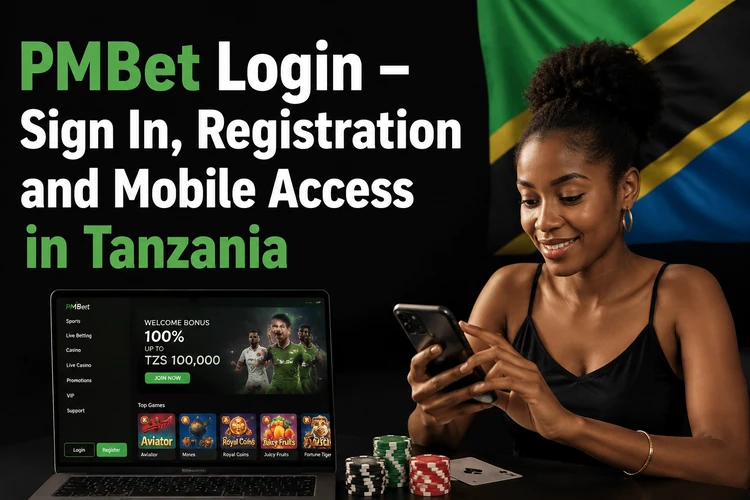
Use the official website rather than links shared in group chats or comment sections. An authorised session gives access to your balance, bet history, deposit and withdrawal tools, bonus status and the casino games section. Without signing in, you may view odds, but you cannot place a bet or request a payout.
Login to PMBet Account
Open the official website, tap the sign-in button in the top corner of the page and complete the two fields. Most players in Tanzania use the mobile number provided at sign-up together with the password they created. If the form requests the number in international format, include country code 255 and omit the leading zero.
Passwords are case sensitive, so switch off autocorrect and check that the keyboard has not capitalised the first character. If the details are rejected twice, stop guessing and use password recovery. Repeated failed attempts may temporarily block access as a protective measure. After registration, you may be signed in automatically; the first manual login will then be on a later visit.
| Access method | What you need | Best for |
|---|---|---|
| Desktop browser | Official site address, phone number and password | Detailed markets and longer sessions |
| Mobile browser | Any modern phone browser, no installation | Quick account access on low-storage devices |
| Android app | Installed app and the same account credentials | Regular use and repeat sign-in |
PMBet Registration
Registration takes a few minutes and is completed from the same page. The form asks for a Tanzanian mobile number, a password you create and confirmation that you are of legal age. Enter personal details accurately, especially if they may later be checked during a withdrawal request.
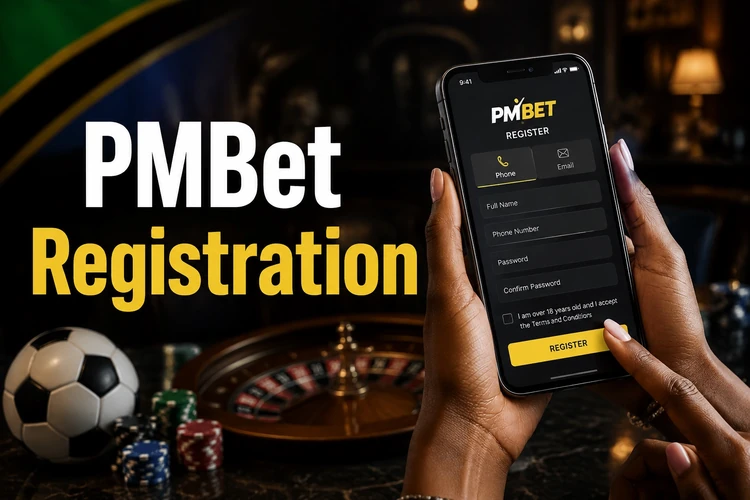
Only one account per person and phone number should be used. If you already have a profile but cannot access it, recover the account instead of creating another one. Keep the phone close by during registration, as the confirmation code is normally sent by SMS.
- Step 1: Open the registration form and choose Tanzania as your country.
- Step 2: Enter your mobile number in the format requested by the form.
- Step 3: Create a password and, if available, add a promo code before submitting.
- Step 4: Confirm the SMS code sent to your phone to create the personal account.
Login via the PMBet Mobile App
The Android application uses the same credentials as the site, so installing it does not create a separate account. After the first sign-in, the app may keep the session open. If you log out manually, clear app data, or change devices, the full login form will appear again.
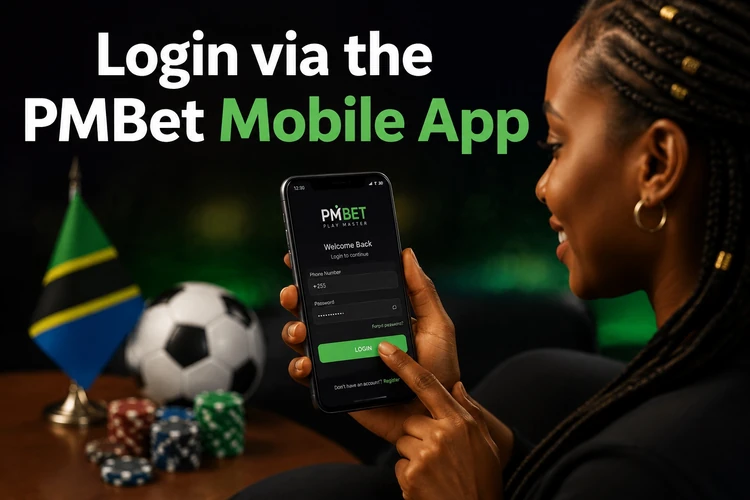
Install the file only from the official download page. On phones with fingerprint or PIN protection, keep the device lock enabled for added privacy. If the app cannot open a session, check the internet connection first, then make sure the installed version is current.
Password Recovery
Use the «Forgot password?» link below the login fields. Enter the mobile number attached to the account and wait for a verification code by SMS. Once the code is confirmed, you can set a new password. Request a code only when you are ready to finish the process, as it is valid for a limited time.
To change a password you still remember, open profile settings after signing in and use the security section. Change it promptly if you suspect someone else has seen it. If a recovery SMS does not arrive, check that the registered number is active and has network coverage, then contact support through the contact page.
- Request reset codes from the login form, never from third-party pages.
- Choose a password that is not used on other sites.
- Keep the registered mobile number active, as it is the main recovery channel.
Account Activation
A new profile becomes usable once the phone number is confirmed. The SMS code sent during registration is the activation step; enter it in the field shown on screen. If it does not arrive within a few minutes, use the resend option rather than starting a new registration.
After activation, complete any remaining profile fields and provide identity documents when requested. Completing verification early can prevent avoidable delays when you make your first withdrawal. Check your contact details carefully before saving them, as an incorrect number can make future recovery more difficult.
Security Tips
Account safety mostly comes down to everyday habits. Type the site address yourself or use a saved bookmark, and check the page before entering credentials. A login form appearing in an unexpected pop-up is a warning sign. Support staff should not ask for your password or an SMS verification code.
Betting is for players aged 18+ only. Set deposit and time limits if you find yourself playing longer than planned, and read the responsible gambling guidance before increasing your stakes.
- Use a password of at least eight characters with letters and digits.
- Never share login details or SMS codes with anyone.
- Sign out after using a shared phone or public computer.
FAQ
Open the official website or app, tap the sign-in button, and enter the mobile number registered to your account and your password. If the details are rejected, use the password reset link rather than repeatedly trying to sign in.
Open the registration form, select Tanzania, enter your mobile number and create a password. Confirm the code sent by SMS to complete the process. Use accurate personal details, as they may be checked when you request a withdrawal.
Yes. The Android app uses the same credentials as the website, so a second account is not needed. You will need to sign in again if you log out, clear the app data, or use another device.
Select «Forgot password?» below the login fields, enter your registered number, and confirm the code sent by SMS. You can then choose a new password. If no message arrives, check that the number is active and has network coverage before contacting support.
Activation is completed by entering the verification code sent to your phone during registration. After confirming it, complete any remaining profile details and provide documents if requested.
Yes. The mobile version of the site works in a modern phone browser and uses the same account as the Android app. It can be useful on shared devices or phones with limited storage.